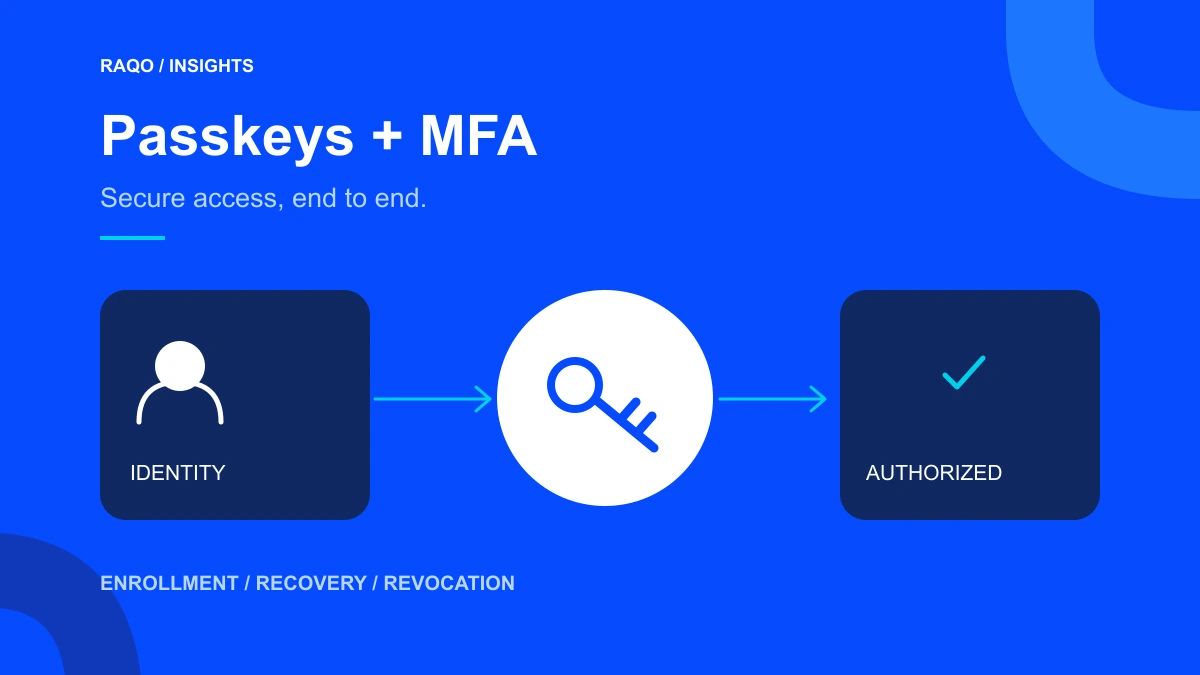
Access security extends beyond the login screen to onboarding, lost devices, role changes and departures. Passkeys and multifactor authentication should be assessed within that working routine.
What changes with passkeys
FIDO Alliance describes passkeys as cryptographic authentication credentials bound to a service. NIST explains that phishing-resistant mechanisms avoid providing usable credentials to an impostor site. This does not mean every biometric login automatically provides equivalent protection.
FIDO Alliance — Passkeys ↗NIST — Phishing Resistance: Protecting the Keys to Your Kingdom ↗MFA is a layer, not the entire plan
Multifactor authentication combines independent factors. Method and implementation matter; an additional code does not make all login flows equivalent. Passkeys can form part of authentication design, while factor requirements and assurance levels must be assessed for the application.
FIDO Alliance — Passkeys ↗NIST — Phishing Resistance: Protecting the Keys to Your Kingdom ↗Start with operationally important accounts
RAQO’s implementation approach begins with profiles that administer users, change financial records or export information. Record who uses each profile, how access is granted and how recovery works.
Consider a fictional business where three people share one inventory administration account. Before discussing a new login technology, individual identification and clear permissions are needed. Otherwise, the system may confirm access without allowing staff to understand who performed a particular action.
Include account recovery in acceptance testing
Build test cases with the team: unavailable devices, new employees, role changes and departures. For each, specify how identity is checked, who authorizes changes and what evidence is retained.
This is a project organization proposal, not a universal product rule. Ask providers about synchronization, supported devices, recovery credentials and session termination. The experience must work for legitimate users without turning recovery into an unchecked shortcut.
A practical rollout checklist
After mapping access, begin with a controlled group and validate the full routine. Include mobile use and the actual devices employees use.
- Separate individual, administrator and technical integration accounts.
- Review permissions and remove unowned or unnecessary access.
- Assess methods supported by the system and devices.
- Test enrollment, authentication, recovery and revocation.
- Define support for lockouts and employee departures.
- Monitor access failures and improve the flow before expansion.
Security within the user experience
Good design combines proportionate controls, understandable messages and support processes staff can carry out. RAQO evaluates these integrations alongside system rules, without promising absolute security or automatic compatibility with every provider.
Frequently asked questions
Is a passkey the same as biometrics?
No. A passkey is an authentication credential; biometrics or a PIN may unlock it locally, depending on the device and implementation.
Can I keep current permissions and only change login?
Changes can be phased, but we recommend reviewing roles, recovery and departures to avoid retaining weaknesses elsewhere in the access lifecycle.
Official sources
FIDO Alliance — Passkeys ↗NIST — Phishing Resistance: Protecting the Keys to Your Kingdom ↗Accessed November 2, 2026. Project checklists and examples in this article are RAQO editorial proposals.